Roblox is one of the most popular games in the world, and millions of players enjoy it every day on their mobile devices. Whether you’re using an Android phone or an iPhone, downloading Roblox is super easy. In this simple, step-by-step guide, you’ll learn exactly how to install Roblox, what settings you need, and how to start playing safely.
📱 What Is Roblox?
Roblox is a free gaming platform where you can play millions of user-created games. From adventure and role-play to racing and simulator games, Roblox has something for everyone. You can also chat with friends, customize your avatar, and even create your own games.
✅ How to Download Roblox on Android (Step-by-Step)
Follow these easy steps to install Roblox on any Android device:
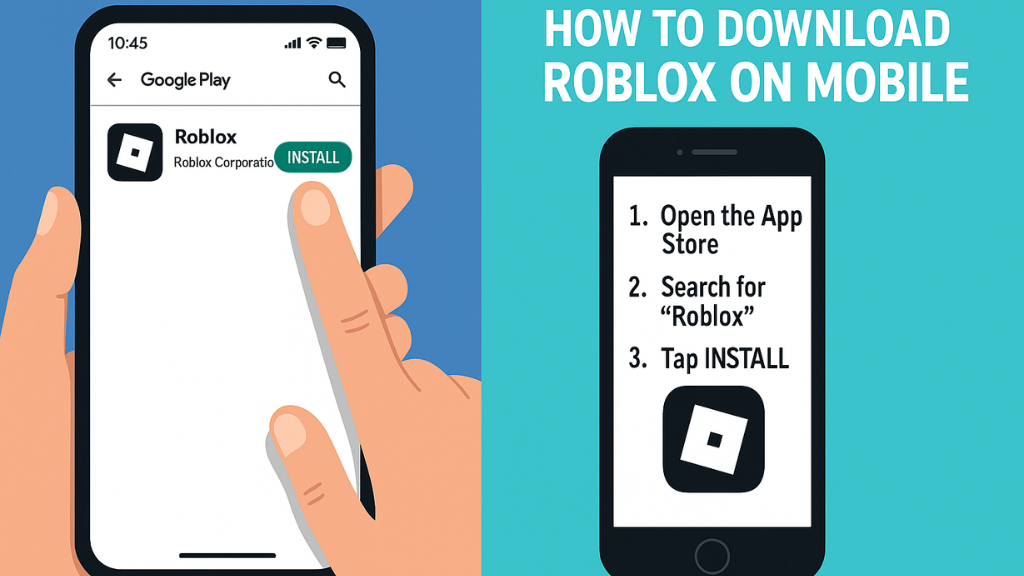
1. Open the Google Play Store
Tap on the Play Store app on your Android phone.
2. Search for “Roblox”
Type Roblox in the search bar.
3. Tap on the Official Roblox App
Make sure the developer name shows Roblox Corporation.
4. Hit the “Install” Button
The app will begin downloading. This may take a few seconds.
5. Open the App and Login
Once installed, tap Open and log in with your Roblox account.
If you don’t have one, tap Sign Up to create an account.
🍎 How to Download Roblox on iPhone (Step-by-Step)
Here’s how to install Roblox on any iPhone or iPad:
1. Open the App Store
Tap the App Store icon on your device.
2. Search for “Roblox”
Use the search bar at the top.
3. Select the Official Roblox App
Check that the publisher is Roblox Corporation.
4. Tap “Get” and Authenticate
You may need to use Face ID, Touch ID, or your Apple ID password.
5. Open Roblox and Sign In
After installation, tap Open and log into your account.
🧩 Minimum Requirements for Roblox Mobile
Android Requirements
- Android 6.0 or higher
- 2 GB RAM or more
- Stable internet connection
iPhone Requirements
- iOS 11 or later
- iPhone 6s or newer
- Good Wi-Fi or mobile data
🔒 Safety Tips for Playing Roblox on Mobile
Here are a few important safety tips for parents and new players:
- Enable Parental Controls if kids are playing
- Avoid sharing personal information
- Use two-step verification for account protection
- Play on trusted Wi-Fi networks to avoid lag
🎮 Start Playing Roblox on Mobile Today!
Installing Roblox on your phone is fast and easy. Whether you’re using an Android or iPhone, you can join millions of players and explore thousands of exciting games right from your mobile device.
Roblox is free to download, safe to use, and perfect for gaming on the go — so jump in and start your adventure today!
SEO Keywords:
Roblox download mobile, Roblox on Android, Roblox on iPhone, install Roblox, Roblox step-by-step guide, how to get Roblox on phone, Roblox app download
Would you like a short YouTube script, meta description, or thumbnail text for this article?